DISP_DEBUG_SOP
1. Overview
This document describes how to debug when the following issues occur during DISP application execution.
2. Problem Description
2.1 Problem 1: Screen No Display (Black Screen)
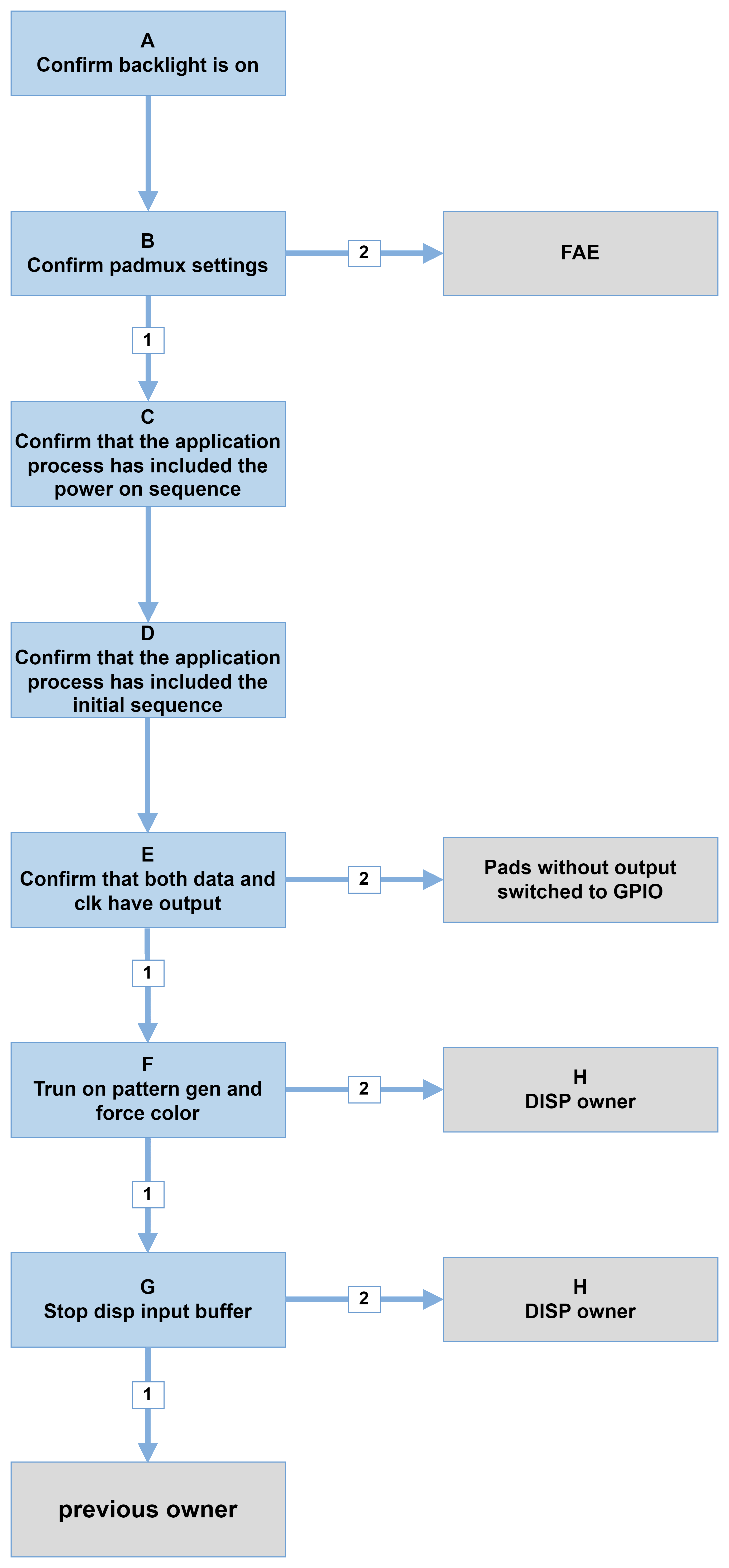
| Flow | Method | Exit Condition 1 | Exit Condition 2 |
|---|---|---|---|
| A | FAE self-check | NA | NA |
| B | 1. Confirm padmux is configured via dtsi (refer to [Sigdoc GPIO Usage Reference]) iford-ssc029a-s01a-padmux.dtsi iford-ssc029b-s01a-padmux.dtsi iford-ssc029c-s01a-padmux.dtsi 2. Read registers: TTL: riu_r 103c 78 BT656: riu_r 103c 60 |
Register setting correct | Register setting incorrect |
| C | Check datasheet to confirm if there is a power on sequence. If yes, measure waveform to verify compliance with specifications; if not, skip this step. | NA | NA |
| D | Check datasheet to confirm if an initial sequence needs to be executed. If yes, confirm the application flow includes it and verify correct execution by measuring waveform. If not, skip this step. | NA | NA |
| E | Use oscilloscope or logic analyzer to measure signals and confirm clock frequency. | Signal present | No signal |
| F | 1. Set pattern gen: riu_w 123c 27 17 2. Set force color: ./iford_blue.sh (blue) |
Display color bars or blue | No display |
| G | echo stopgetbuff 0 0 ON > /proc/mi_modules/mi_disp/mi_disp0 | Display shown | No display |
| H | 1. Dump register: ./iford_dump_lcd_reg.sh 2. cat /proc/mi_modules/mi_disp/mi_disp0 |
NA | NA |
2.2 Problem 2: Screen Display Corrupted or Flickering
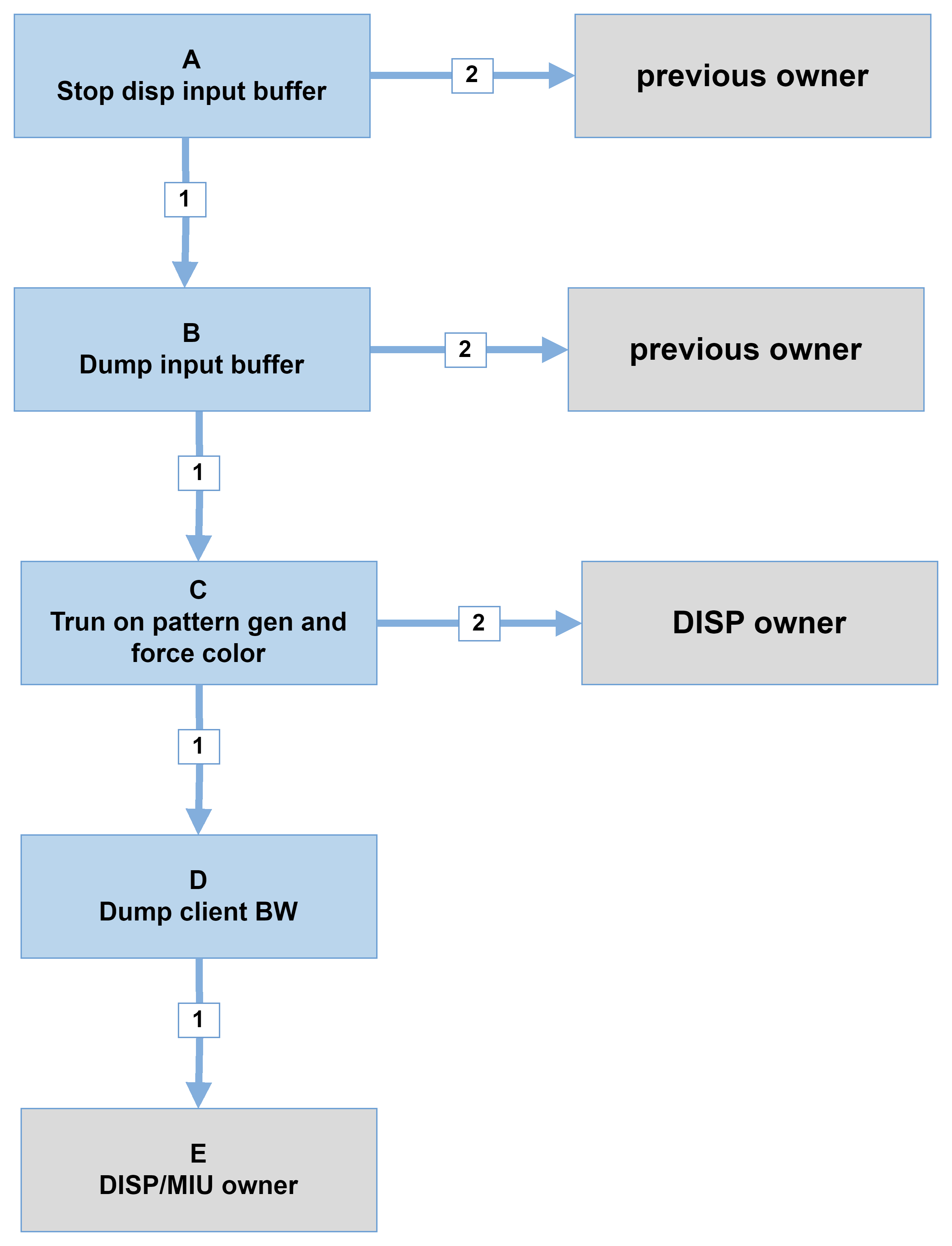
| Flow | Method | Exit Condition 1 | Exit Condition 2 |
|---|---|---|---|
| A | echo stopgetbuff 0 0 ON > /proc/mi_modules/mi_disp/mi_disp0 | Display abnormal | Display normal |
| B | echo dumpframe 0 0 [path] > /proc/mi_modules/mi_disp/mi_disp0 | Image normal | Image abnormal |
| C | 1. Set pattern gen: riu_w 123c 27 17 2. Set force color: ./iford_red.sh (red) |
Display color bars or red | Display abnormal |
| D | cat /sys/devices/system/miu/miu0/bw | NA | NA |
| E | 1. Dump register: ./iford_dump_lcd_reg.sh 2. cat /proc/mi_modules/mi_disp/mi_disp0 |
NA | NA |
2.3 Problem 3: Screen Display Color Abnormal
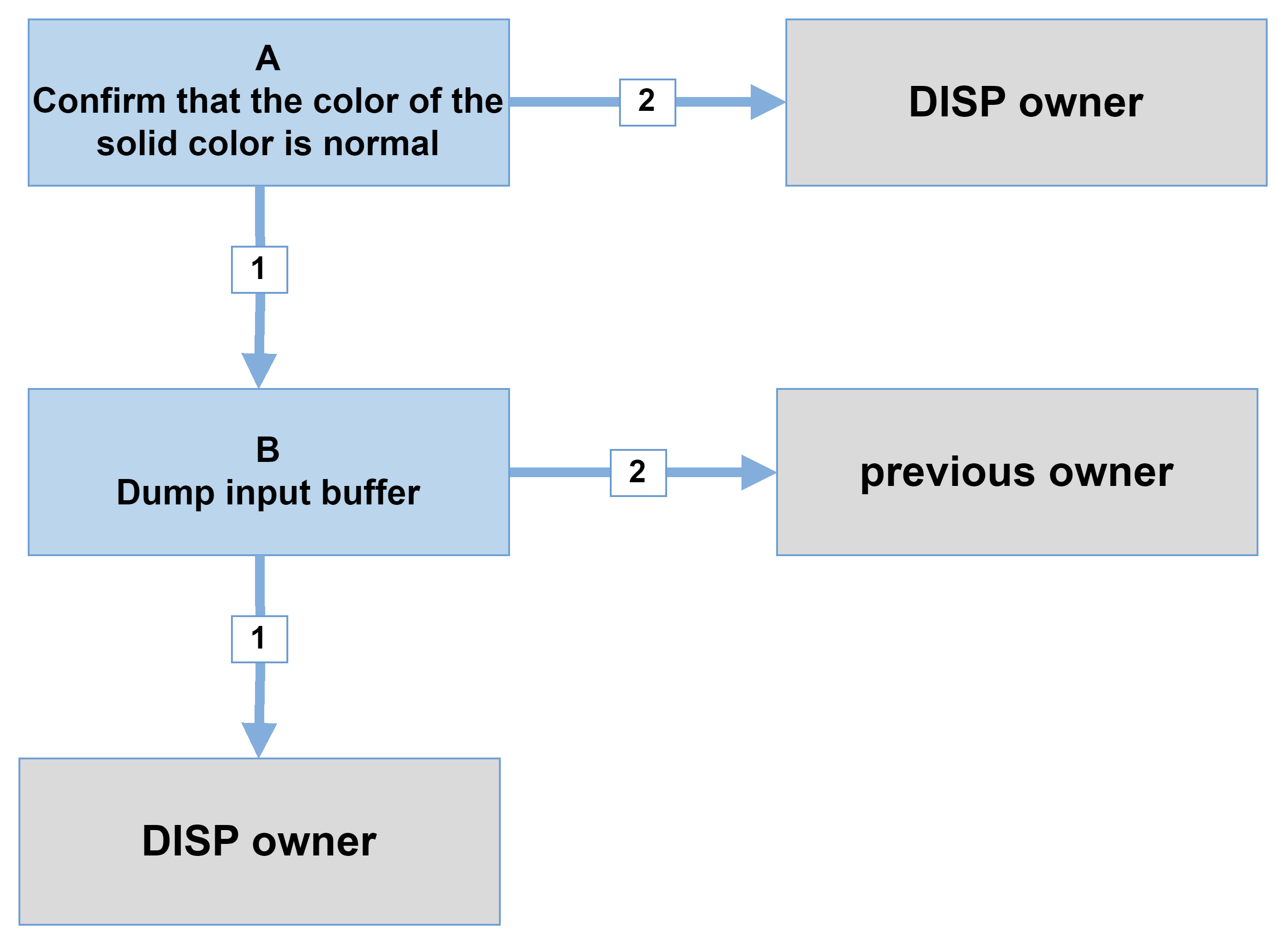
| Flow | Method | Exit Condition 1 | Exit Condition 2 |
|---|---|---|---|
| A | Set force color: ./iford_red.sh (red) ./iford_green.sh (green) ./iford_blue.sh (red) |
Display normal | Display abnormal |
| B | echo dumpframe 0 0 [path] > /proc/mi_modules/mi_disp/mi_disp0 | Image normal | Image abnormal |
| C | 1. Dump register: ./iford_dump_lcd_reg.sh 2. cat /proc/mi_modules/mi_disp/mi_disp0 |
NA | NA |