Sgs USB Host Debug SOP Manual
REVISION HISTORY
| Revision No. | Description |
Date |
|---|---|---|
| 1.0 | 12/03/2024 |
Issue 1. Device Not Recognized
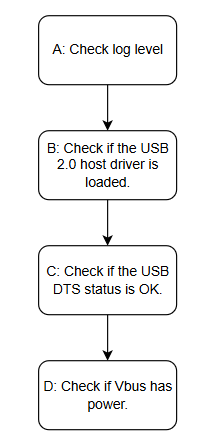
| Step | Method |
|---|---|
| A | The log level may be too low to display USB enumeration logs. Execute echo 7 > /proc/sys/kernel/printk to increase the log level |
| B | USB 2.0 host requires the following kernel modules: ehci-hcd.ko, sgs-usb2-phy.ko. Note: Some modules may be built-in |
| C | Some chips support different boards with varying numbers of USB ports. The USB port status is controlled via the board-level DTS. Verify that the DTS status is set to "okay" |
| D | Verify that VBUS is powered. Check whether the VBUS jumper for the corresponding port is connected. This can be measured with a multimeter or tested by connecting an LED-equipped WiFi dongle to check if the LED illuminates |
Issue 2. Upgrade via usbstar Fails in U-Boot
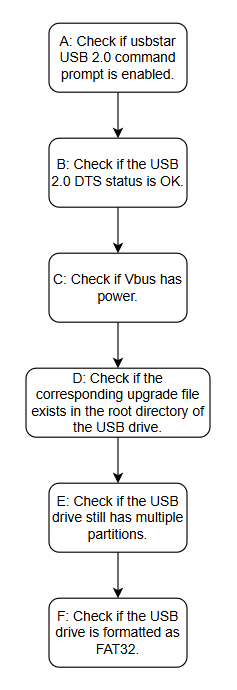
| Step | Method |
|---|---|
| A | Verify that usbstar and USB 2.0 under usbstar are enabled in menuconfig |
| B | Verify that the USB 2.0 related status in DTS is set to "okay" |
| C | Check whether VBUS is powered using a multimeter |
| D | If the upgrade image name is not specified via usbstar -f, the default upgrade filename is SgsUpgrade.bin |
| E | Check whether the USB drive has multiple partitions and the file is located in a non-primary partition. The usbstar utility reads the first partition of the USB drive by default |
| F | USB drive upgrade currently supports FAT32 format only |
Issue 3. USB Drive Mount Failure
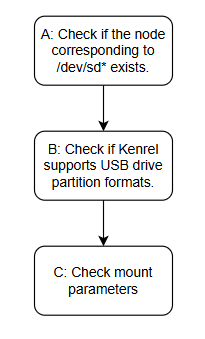
| Step | Method |
|---|---|
| A | First, verify whether the USB drive is recognized. If not, refer to the device recognition troubleshooting process |
| B | Execute cat /proc/filesystems to check whether the corresponding USB drive filesystem is loaded in the kernel |
| C | For example, execute mount /dev/sda1 /mnt -t vfat. The device may also be sdb1, sdc1, etc. |
Issue 4. USB 2.0 Device Not Recognized as High-Speed
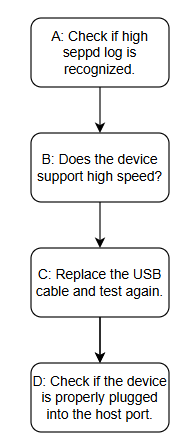
| Step | Method |
|---|---|
| A | When high-speed is recognized, the log "new high-speed USB device number 16 using ehci-hcd" will be displayed |
| B | Connect the device to a PC and use USBTreeView to verify that the Device Maximum Speed descriptor indicates "high-speed" |
| C | The cable quality may be defective. Test with a different cable |
| D | If the connection is not secure, poor contact may cause abnormal recognition |