USB & SD Upgrade
1. SD card upgrade
The SD card upgrade function is enabled by default and supports blank chip upgrade. After the chip is powered on, if there are IPL, IPL_CUST and UBOOT in the SD card, these programs in the SD card will be loaded and run.
1.1. Build SD card upgrade package
make image under project, use the make_sd_upgrade_XXX.sh script to package the SD card upgrade package.

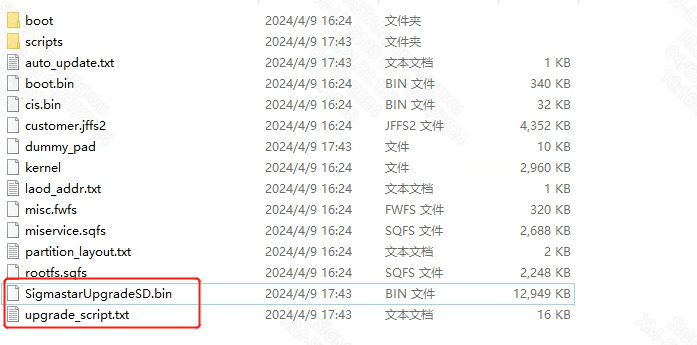
After packaging is completed, XXXUpgradeSD.bin and upgrade_script.txt will be generated in the project/image/output/images directory, as shown below. Copy these two files to the root directory of the SD card.
1.2. SD card empty upgrade
If you need to upgrade the blank flash, you also need to copy IPL.pcupid_nor.DDR4_3200_NTC8G_BGA2 =y.bin, IPL_CUST.pcupid_nor.DDR4_3200_NTC8G_BGA2=y.bin and u-boot.xz.img.bin file to the root directory of the SD card, and rename them to IPL, IPL_CUST and UBOOT respectively. In this way, the chip will use these three files to boot after power-on, so as to get uboot environment that can be upgraded.

1.3. Upgrade using SD card in uboot environment
Eject the SD card from the PC and insert it into the card slot of the board. Power on the board, press and hold Enter to enter the BootLoader command line, and execute the following command to upgrade the SD card:
# sdstar
2. U disk upgrade under UBOOT
USB flash drive upgrade is not supported, and the user needs to manually enable the USB flash drive upgrade function.
2.1. Modify uboot configuration and enable USB upgrade function
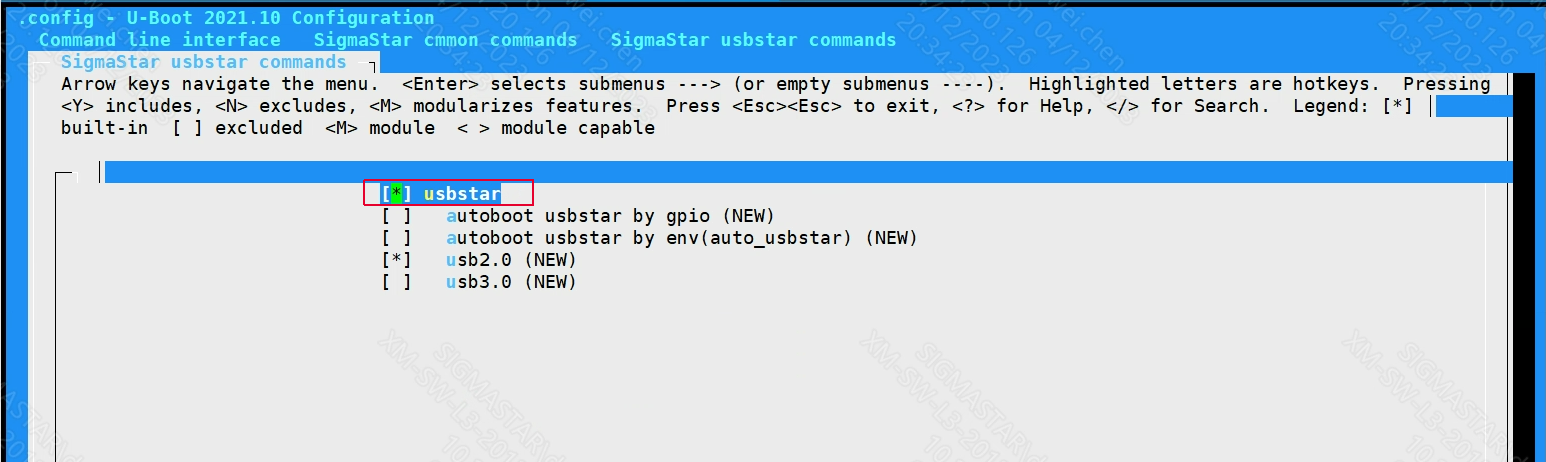
After using the demo board's defconfig configuration, use make menuconfig to enable the following configuration:
location:
Command line interface
    -->XXX Common commands
        -->XXX usbstar command
            -->[*]usbstar
2.2. Pack the USB upgrade package and copy it to the USB disk
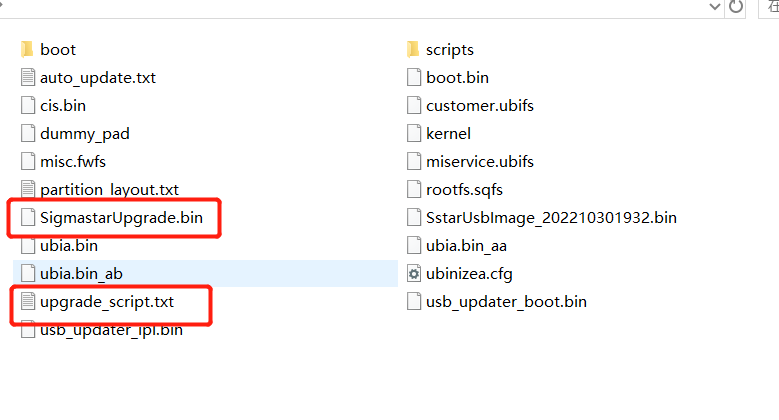
Similar to 1.1. Build SD card upgrade package, run the make_usb_upgrade_XXX.sh script under the project to generate Upgrade.bin and upgrade_script.txt in the project/image/output/images directory. Copy these two files to the root directory of the USB flash drive.

2.3. Upgrade via USB flash drive in uboot
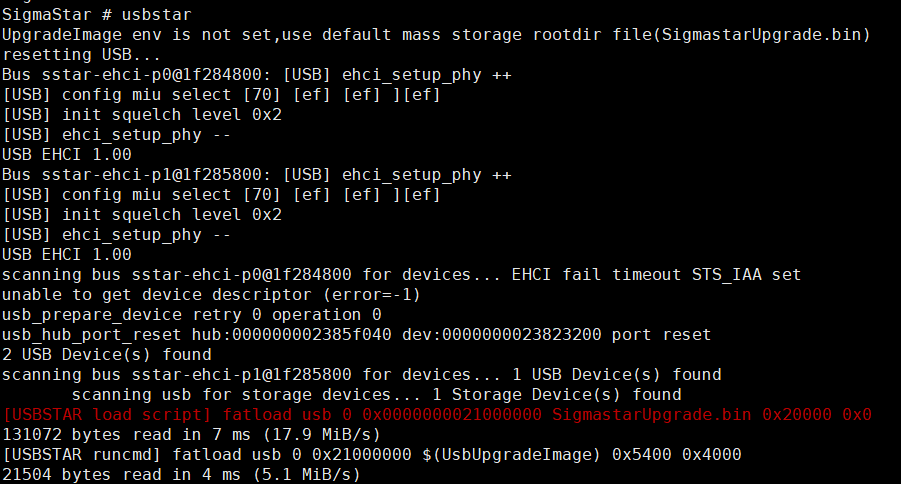
Then execute usbstar to upgrade the USB flash drive, and it will automatically restart after the upgrade is completed.