SSD_TFT-LCD Driver Reference
1. Overview
This article is a reference for the use of TFT-LCD driver with Spi interface.
2. Spi panel driver configuration
2.1. Kernel menuconfig
Open fbtft config in Kernel menuconfig and compile the red box into a module
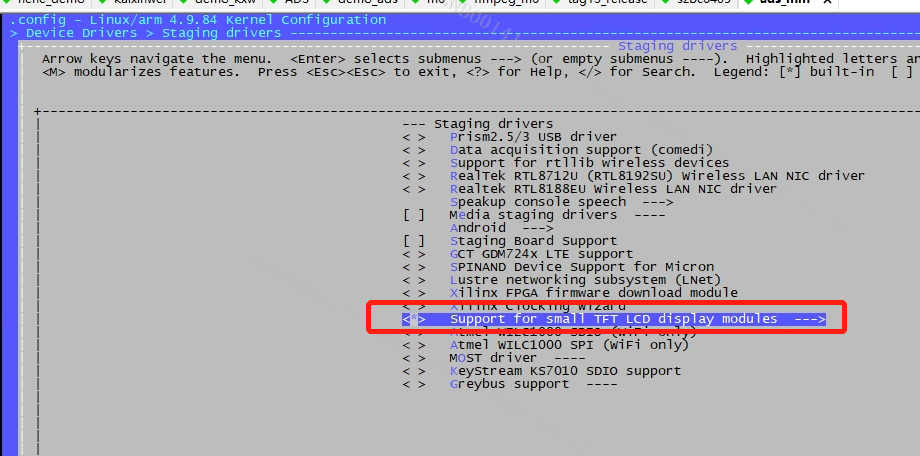
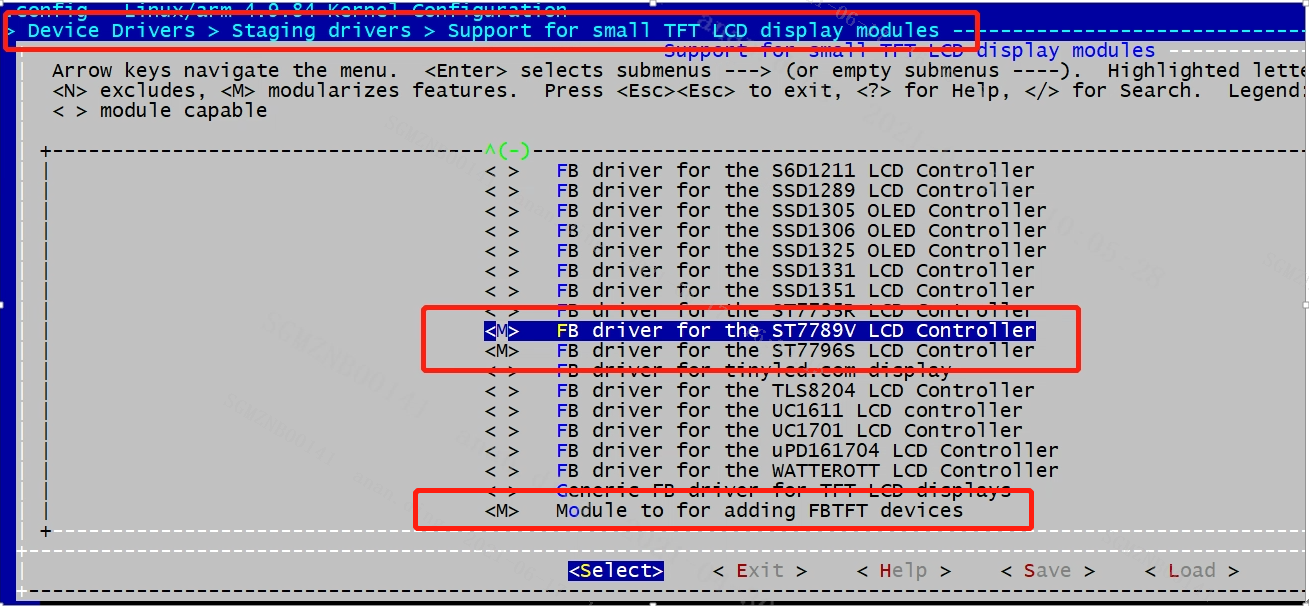
Note: Support for small TFT LCD display needs to be set to *
2.2. Dts add corresponding configuration
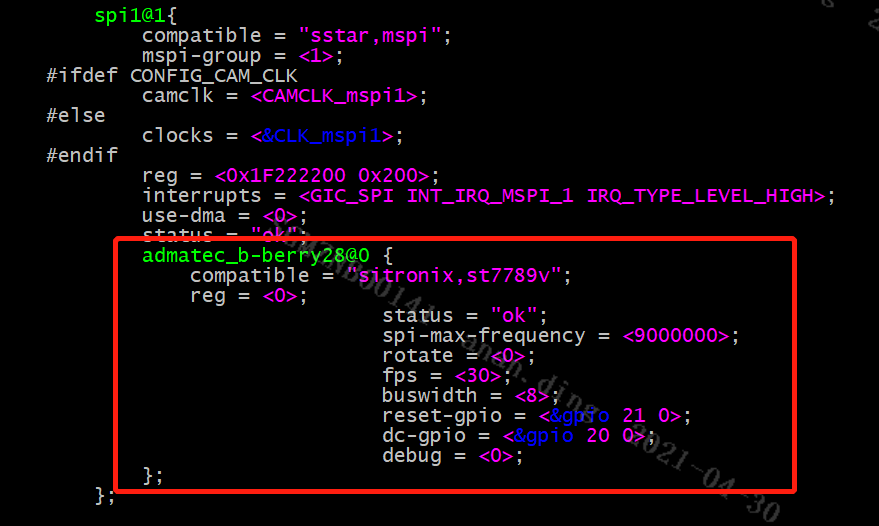
After compiling, install insomod, the command is as follows
-
Remove the original fb module
Remove
insmod /config/modules/4.9.84/fbdev.koincustomer/demo.shon the board (if there is zkgui, remove it first).Also remove
fbdev.koinproject\release\dispcam\p3\common\glibc\9.1.0\modules\4.9.84\ misc_mod_list_late.Reboot the platform.
-
Load the fbtft module after restarting
insmod /config/modules/4.9.84/fbtft_device.ko busnum=1 name=admatec_c-berry28 cs=0 gpios="reset:21,dc:20" custom=1 speed=40000000 width=240 height=320 buswidth=8 mode=0 debug=7 dma=0
name=admatec_b-berry28 should be consistent with the name of fbtft_device_display displays[] in the driver
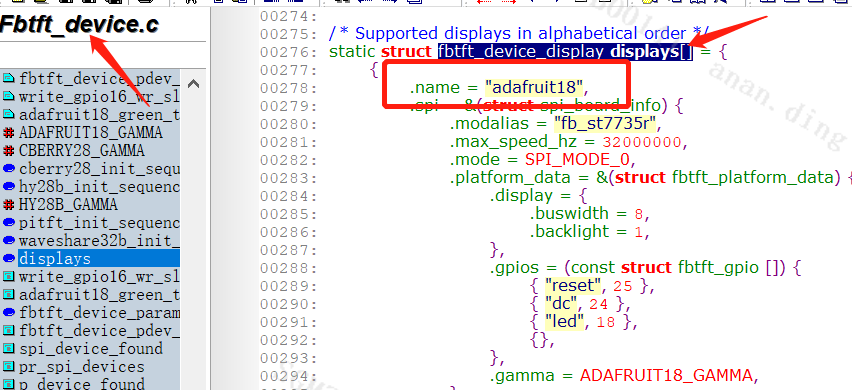
Note: If the Speed parameter is too high, spi timeout may occur. You can try to reduce the speed for debugging.
-
Load the corresponding TFT driver
insmod /config/modules/4.9.84/fb_st7796s.ko
At this time, the node of dev/fb0 will be generated, and you can draw directly on fb.
Instead of the above steps 2 / 3, you can also add the following two lines to the file project\kbuild\customize\4.9.84\p3\dispcam\kernel_mod_list_late, so that ko will be automatically packaged into the image and automatically loaded at booting:
fbtft_device.ko busnum=1 name=admatec_c-berry28 cs=0 gpios="reset:17,dc:42" custom=1 speed=40000000 width=240 height=320 buswidth=8 mode=0 debug=7 dma=0

fb_st7789v.ko
2.3. panel configuration
Changes to panel-related settings:
-
Screen initialization
Fbtft-core.c
fbtft_probe_common() -> fbtft_register_framebuffer() -> fbtftops.init_display() will initialize the panel with the following array initialization parameters.
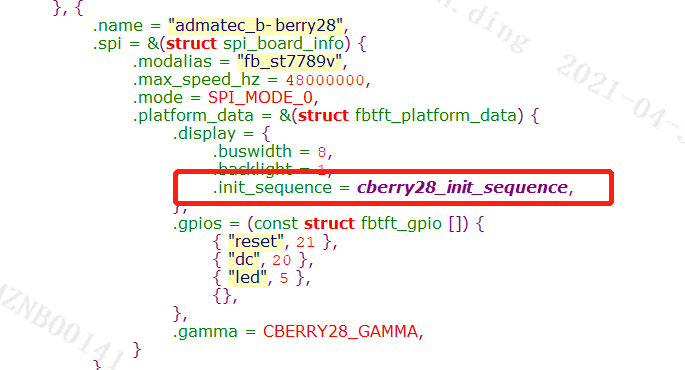
Other settings are in fbtftops.set_var()/fbtftops.update_display()fbtftops.set_gamma()
-
Refresh
The upper layer refreshes fb through ioctl(g_fbFd, FBIOPAN_DISPLAY, &vinfo), corresponding to the underlying fbtft_update_display() - > fbtftops.write_vmem() - > fbtft_write _ vmem16_bus8() - > fbtftops.write - > fbtft_write_spi()
Note: Because the spi directly sends data to the panel, the data sent by RGB565 or RGB888 is different, so the data data sent by the upper layer to the driver needs to conform to the data format of the screen.
2.4. ZKGUI configuration
For ZKGUI need export ZK_GFX_ENABLE=0 to disable gfx.